Cybersecurity can quickly become a shopping exercise. Every week seems to bring another product promising better protection, clearer visibility, smarter alerts or an easier way to manage risk.
For a business owner who already feels unsure about security, buying another tool can feel like progress. It is something tangible, it appears to address a problem, and the product description usually makes the benefits sound straightforward.
The reality inside many businesses is more complicated. They often already have useful security technology in place, but some of its protections have never been switched on, properly configured or consistently managed.
Stronger security often starts with understanding what is already there, identifying the gaps that genuinely matter and making existing protections work properly.
Your business may already own useful security protections
Most businesses rely on a collection of platforms to run their day-to-day operations. Microsoft 365, Google Workspace, internet routers, backup systems and business applications often include security capabilities as part of the service.
These features may include multi-factor authentication, device encryption, access controls, security alerts, email filtering, backup retention, suspicious login detection and administrator reporting. Some are included in the licence the business already pays for, while others are available with a small change to the existing plan.
The problem is that owning a feature does not mean it is protecting the business.
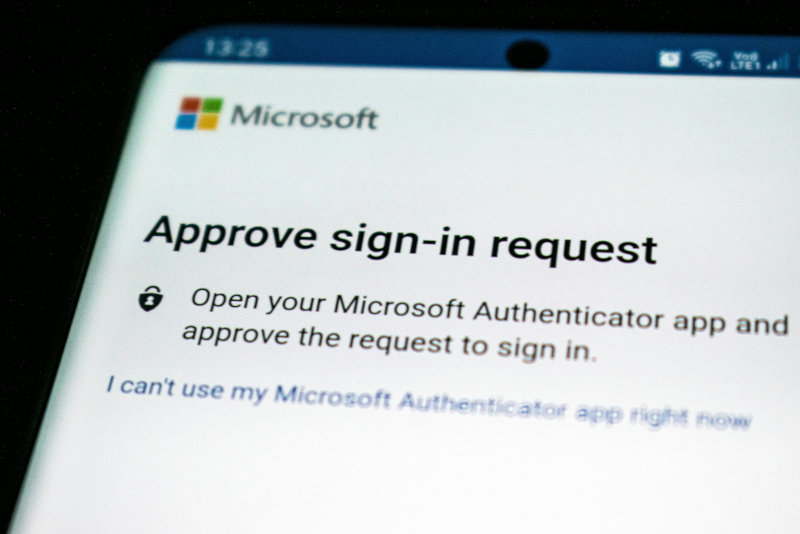
Multi-factor authentication may be available but only enabled for some of your team. Security alerts may be generated but sent to an inbox nobody regularly checks. Backups may run each night without anyone testing whether the information can be restored. Former employees may still have access to systems long after they have left.
This is common in small and growing businesses because responsibility for security is often spread across several people. An IT provider may manage devices, an office manager may create user accounts, a website agency may control the domain, and the owner may hold the administrator login for the accounting system.
Each part may appear to be covered, but nobody has a clear view of how the pieces fit together. A good starting point is to review the protections already available and check whether they are being used effectively.
Every additional security tool creates work
A new security product may solve a genuine problem, but it also becomes another system the business must look after.
Someone has to configure it, decide who should have access and make sure it works with the systems already in place. Alerts need to be reviewed, licences renewed, integrations maintained and settings updated as the business changes.
The ongoing work usually includes several practical responsibilities:
- Someone must understand what the tool is designed to detect or prevent.
- Someone must configure it for the way the business operates.
- Someone must review its alerts and decide which ones require action.
- Someone must add and remove users as staff join, change roles or leave.
- Someone must maintain integrations with other business systems.
- Someone must check that the tool continues to provide enough value to justify its cost.
None of these tasks is unreasonable on its own. The difficulty appears when the business accumulates several tools without having enough time or internal capacity to manage them properly.
This can leave the business with more dashboards, more notifications and more uncertainty. Important alerts may be buried among low-value warnings, while administrators assume another person or provider is taking care of them.
Before adding a product, it helps to consider the work that will come with it. The purchase price is only one part of the commitment.
Many security gaps are not product gaps
When a weakness is discovered, buying technology can seem like the natural response. In practice, many common security problems are caused by unclear responsibilities, inconsistent processes or incomplete follow-through.
For example, a business may already have the ability to remove access quickly when someone leaves. The real gap may be that nobody owns the offboarding process, so the account remains active.
The same pattern can appear across several areas:
- Ownership is unclear. People assume that an IT provider, software vendor or internal manager is responsible, but the responsibility has never been clearly agreed.
- Existing systems are weakly configured. Useful protections are available, although their default settings may not match the needs of the business.
- Processes are inconsistent. Security checks happen for some employees, devices or applications but not for others.
- Available features are unused. The business may already pay for stronger controls that have never been enabled.
- Access is poorly managed. People may have more permission than their role requires, shared accounts may still be in use, or old accounts may remain active.
- Improvements are not completed. A problem may be identified and discussed, but the work stalls because nobody has the time, authority or confidence to finish it.
Adding software rarely resolves these issues by itself. A new platform can still be poorly configured, inconsistently used or left without a clear owner.
Security improves when responsibility, configuration and follow-through improve together. Technology supports that work, but it cannot provide the structure on its own.
Start with the business and the risks that matter
Before comparing products, it helps to understand what the business is trying to protect and where the most meaningful weaknesses are.
This does not require an exhaustive technical investigation. The first review can be practical and focused on the systems, information and processes that keep the business operating.
A useful review should establish:
- Which systems, accounts and applications are essential to the business.
- What sensitive customer, employee or commercial information the business holds.
- Which protections are already available and whether they are working as expected.
- Where access is broader, weaker or less controlled than it should be.
- Which gaps could cause the most disruption or harm.
- Which improvements would provide the greatest practical benefit.
- Who will complete each improvement and maintain it afterwards.
This creates a clearer basis for making decisions. Instead of reacting to individual product claims, the business can assess each possible improvement against its actual needs.
It also helps with prioritisation. A business may discover that reviewing administrator access, enabling multi-factor authentication and testing its backups will provide more immediate value than purchasing a new monitoring platform.
Another business may find that its existing tools are well managed, but it lacks a reliable way to protect staff laptops. In that situation, a new product may be entirely appropriate because the problem has been clearly defined.
The important part is the order of the decision. Understanding the business first makes the technology choice simpler and more defensible.
Add tools when they solve a defined problem
There are many situations where an additional security product makes sense. A growing business may need better device management, stronger email protection, centralised logging or a more reliable backup platform.
A useful purchase begins with a specific gap rather than a general feeling that the business should have more security.
Before committing to a product, it helps to write down the problem in plain English. For example:
We cannot reliably confirm that every business laptop is encrypted, updated, and protected if it is lost or stolen.
That statement creates a practical test for potential solutions. The business can ask whether the product addresses that problem, whether it works with existing systems and whether someone will be able to manage it properly.
A few straightforward questions can make the decision clearer:
- What specific risk or weakness will this product address?
- Do we already own a feature that could address the same problem?
- What work will be required to configure and maintain it?
- Who will review its alerts and act on them?
- How will we know whether it is working?
- Does the expected improvement justify the cost and ongoing complexity?
These questions are not intended to make purchasing difficult. They help the business avoid paying for technology that overlaps with existing systems, creates more administration or remains unused after the initial setup.
A good security tool should make a defined part of the business safer or easier to manage. Its purpose should be clear before the contract is signed.
Clear decisions create stronger security
The conclusion is not that businesses should avoid buying security technology. Good tools are essential, and the right product can close an important gap efficiently.
The stronger approach is to buy a tool because it addresses a specific, prioritised problem. That decision becomes much easier once the business understands what it already has, where its meaningful gaps are and who will manage the improvement.
This is also why BrightShield begins with the business rather than a catalogue of products. We are not trying to replace every IT provider or add another software licence to the pile.
Our role is to help businesses understand their current position, identify the improvements that matter and make sensible decisions about what should happen next. Sometimes that includes a new tool, and often it starts by making better use of the protections already available.
Security becomes more manageable when every improvement has a clear purpose, a responsible owner and a realistic plan for completion.